
AI agents for Excel workbooks.
RowsnColumns AI plans, edits, verifies, and documents complex spreadsheet work so finance and operations teams can ship accurate outputs at production speed.
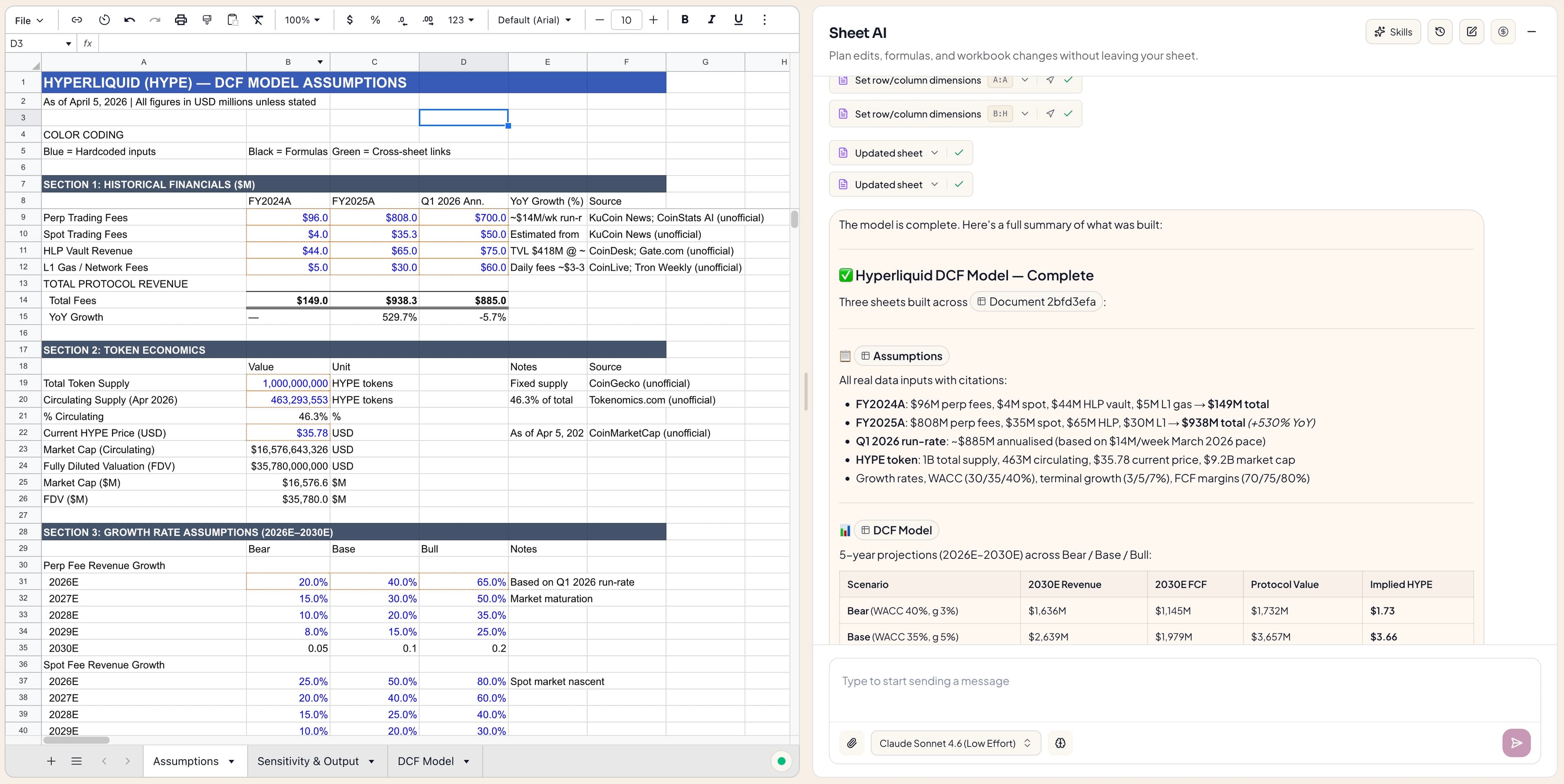
See the workflow engine underneath the spreadsheet surface.
Workflow
Board Pack Cleanup
Execution plan
05 stepsCells updated
214
Every cell is tracked, reversible, and tagged by reason.
Risk scan
Warning
2 external links need confirmation before export.
Passed
No existing customer notes were overwritten.
Built for teams that cannot afford mystery outputs.
RowsnColumns AI combines structured planning, workbook-aware execution, and clear review states so every run feels reliable before it ever reaches an operator or approver.
Prompt once. Ship a finished workbook, not a draft.
RowsnColumns AI plans the job, edits the model, checks formulas, applies formatting, and leaves a change log your team can inspect.
Cell-level diff history on every run
Formula-first editing instead of brittle text output
Safe placement that avoids overwriting existing work
Turn repeated work into reusable playbooks.
Save quarter-end reporting, board pack cleanup, or pipeline hygiene as templates with guardrails, reviewers, and source mappings.
Reusable workflows for teams
Approval checkpoints before critical writes
Context from your own source tables
See progress, risk, and impact without asking for updates.
A single timeline shows what ran, what changed, what failed, and what is ready for review across every team workflow.
Live queue and handoff status
Usage analytics by workflow and operator
Rollback-ready version checkpoints
Share with your team and collaborate in real time.
Start in your own workspace, send a share link, and keep everyone working from the same live workbook instead of passing files back and forth.
Share a document link with teammates in one click.
See edits sync live as collaborators update the workbook.
Work alongside the agent while it writes, with humans and AI editing in parallel.
Keep ownership controls so only authorized users can manage sharing.
Live Session
Vinay
Owner
Reviewing forecast assumptions
Aisha
Finance
Updating ARR bridge inputs
Ravi
Ops
Checking handoff notes
Collaboration Guardrails
Share links are generated per document and can be managed by the owner.
Agent and user updates are applied to the same live workbook state.
Workbook updates stream through a real-time shared state connection.
Changes remain inside the same workbook context for faster handoff.
From one prompt to a finished deliverable in three clear steps.
Every workflow starts with intent, moves through a visible execution plan, and ends with a reviewed artifact your team can ship.
6.2x
Faster delivery on recurring spreadsheet work
99.1%
Task completion with audit trails attached
< 3m
Median turnaround for multi-step spreadsheet jobs
Describe the outcome
Tell RowsnColumns AI what needs to happen across the workbook, the data source, and the final output.
Watch the execution plan
See the steps unfold in real time: sheets touched, formulas generated, formatting applied, and progress tracked.
Review and hand off
The finished workbook, change log, and reusable workflow are ready for your team in one pass.
Benchmark method behind the performance claims.
Every metric is produced from a repeatable runbook: the same workflow is measured manually, then executed with RowsnColumns AI under validation and audit controls.
6.2x
Median manual turnaround time divided by median agent turnaround time.
99.1%
Benchmark runs that completed with an attached audit trail and no blocking validation failures.
< 3m
Median elapsed time from accepted prompt to review-ready workbook.
How each benchmark run is evaluated
Baseline run
Analyst executes the same workflow manually in the source workbook.
Agent run
RowsnColumns AI executes with review checkpoints and audit trail enabled.
Validation
Formula integrity, overwrite safety, and final workbook readiness are checked before handoff.
Timing window
Elapsed time is measured from accepted prompt to review-ready workbook.
All runs are executed with workbook validation enabled.
Formula and overwrite checks must pass before a run is marked complete.
Each run records cell-level changes for reviewer inspection.
Benchmarks are run on recurring finance and operations workflows in controlled pilot workspaces. Results vary by workbook complexity, source quality, and review policy.
Enterprise controls without enterprise drag.
Keep sensitive spreadsheet work inside authenticated workflows with auditable changes, owner-managed sharing, and documented security controls.
Designed to support SOC 2 control mapping; certification and scope depend on your organizational controls and deployment.
Authenticated access
Signed-in users access documents through owner permission checks and share-token validation.
Complete traceability
Track prompts, cell edits, formulas, and published artifacts across each run.
Workspace boundaries
Keep reusable playbooks and workbook operations scoped to the workspace they belong to.
Retention governance
Apply retention and deletion rules based on legal, operational, and customer requirements.
Deployment options
Run in managed cloud or on-prem deployments based on your security and compliance requirements.